
If you’ve spent hours building and detailing your latest Gunpla kit, the last thing you want is a blurry, badly-lit phone snap that doesn’t do it justice. Gunpla photography is one of the most rewarding — and most underrated — skills in the hobby, and the good news is you don’t need an expensive camera or a professional studio to get great results. Whether you’re posting to Instagram, entering online contests, or just want a nice shot to remember your build, this 2026 guide will walk you through everything you need to know.

Why Gunpla Photography Is Worth Learning
The Malaysian Gunpla community is incredibly active on social media — from Facebook groups to TikTok and Instagram — and a great photo can make even a straight-build (no paint, no panel lining) look absolutely incredible. On the flip side, poor lighting and a cluttered background can make a masterpiece look like a toy. Learning the basics of Gunpla photography is basically free, and once you understand a few simple principles, your photos will immediately level up.
You don’t need a DSLR. Modern smartphones — even mid-range ones — are more than capable of capturing stunning shots if you know how to use them properly. The real difference-makers are lighting, background, and composition. Let’s break each one down.
Step 1: Get Your Lighting Right — It’s Everything
Lighting is the single most important factor in any photograph, and Gunpla photography is no exception. Bad lighting creates harsh shadows, washes out panel lines, and makes your kit look flat and lifeless. Good lighting reveals all those beautiful surface details you worked so hard on.
Here are your main options:
- Natural daylight — The simplest option. Take your kit near a window on an overcast day (avoid direct sunlight, which creates harsh shadows). The soft, diffused light from a cloudy sky is actually ideal for miniature photography.
- DIY lightbox — A small box lined with white paper or fabric, lit from two or three sides with desk lamps. This gives you consistent, even lighting you can control at any time of day. You can build one for less than RM30 with a cardboard box and some white tissue paper.
- Commercial lightbox — If you want something more polished, portable LED lightboxes are widely available online for RM50–RM150. They come with built-in lights, diffuser panels, and coloured backdrop sheets.
For bulbs, look for ones rated at 5000K–6500K (cool daylight). These produce a clean white light that’s closest to natural daylight and won’t add unwanted yellow or orange colour casts to your photos.

Step 2: Choosing the Right Background
Your background should never compete with your Gunpla — it exists to make the kit stand out. The classic choices are:
- White — Crisp and clean, great for dark or colourful kits (like the classic RX-78-2 or a brightly-painted MG). This is the safest choice for beginners.
- Black or dark grey — Dramatic and moody, excellent for white, metallic, or chrome kits. Makes metallic effects really pop.
- Neutral mid-grey — Versatile. Works with almost any kit colour.
- Gradient paper or fabric — Adds a bit of depth without being distracting. Popular for contest entries.
A simple sheet of A3 or A2 poster board from any Malaysian stationery shop works perfectly. Curve it gently behind the kit so there’s no visible crease or horizon line — this is called a seamless sweep and it gives your shot that professional look.
Avoid shooting on your desk or on a patterned mat. Those distracting backgrounds pull the viewer’s eye away from the kit itself.
Step 3: Posing and Composing Your Shot
A great pose can turn a good photo into a jaw-dropping one. Think about the story you want to tell — is your kit in mid-battle, landing dramatically, or standing proudly in a hero pose? Dynamic angles almost always look better than a flat, front-facing shot.
A few composition tips to keep in mind:
- Get low — Shoot at eye level with the kit, or even slightly below. This makes the model look more imposing and heroic. Shooting from above makes it look like a toy.
- Rule of thirds — Don’t place the kit dead centre. Position it slightly to one side and let weapons or wings extend into the empty space for visual balance.
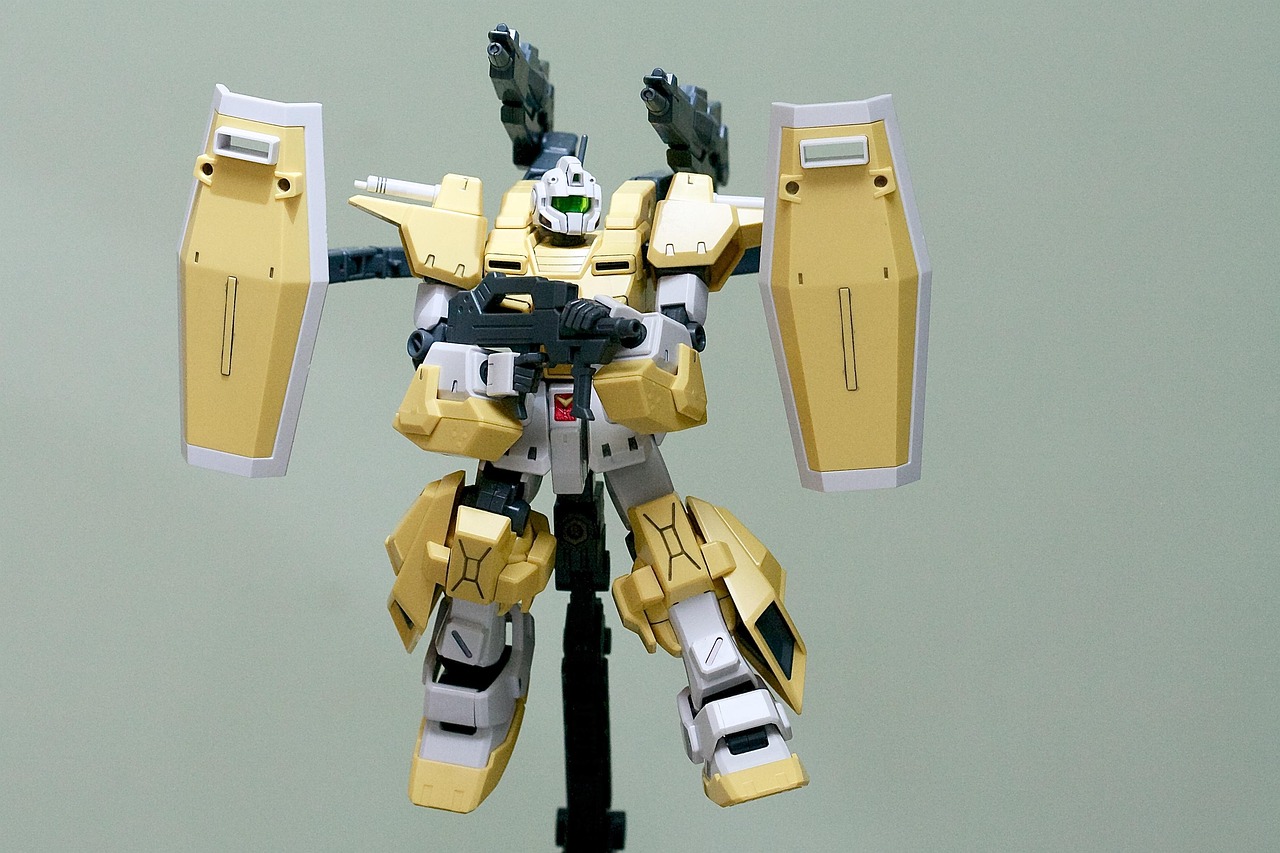
- Use an action base — A display stand lets you pose your kit mid-flight or in dynamic action stances that would be impossible flat on a table. Check out the range of action bases available at Gundam.my — the Bandai Action Base 5 is a brilliant affordable option for HG, RG, and MG kits.
- Leading lines — Use the kit’s limbs, weapons, or wings to draw the viewer’s eye through the frame. A beam saber pointing towards the top corner of the frame creates natural movement.

Step 4: Smartphone Camera Tips for Better Shots
Most of us reach for our phones first, and that’s completely fine. Here’s how to squeeze the most out of your smartphone camera:
- Use a tripod or support — Even with image stabilisation, holding your phone steady for a close-up shot is difficult. A cheap phone tripod (available for RM15–RM30 from Shopee or Lazada) will dramatically reduce blurriness.
- Tap to focus — Always tap on the kit in your screen to ensure the camera focuses on the model, not the background.
- Adjust exposure manually — If your kit looks too bright or too dark, slide the exposure adjustment (the sun icon on most phone cameras) up or down after tapping to focus.
- Shoot in portrait mode carefully — Portrait mode blurs the background nicely, but it can sometimes awkwardly blur parts of the kit itself. Test it and use it only if the result looks natural.
- White balance — If your photos look yellowish or bluish, set your camera’s white balance manually. Most Android and iPhone cameras have a white balance option in Pro/Manual mode.
- Edit your shots — A little post-processing goes a long way. Apps like Lightroom Mobile (free), Snapseed, or even your phone’s built-in editor can brighten shadows, boost contrast, and fix colour casts. Don’t over-edit — the goal is to match what your kit looks like in real life.
Step 5: Simple Scene-Building for More Impactful Photos
Once you’ve mastered the basics, you can start adding simple environmental elements to create mini-dioramas. A few crumpled pieces of grey paper can simulate concrete rubble. A thin layer of sand or flour creates a desert floor. Printed backdrop sheets of cityscapes or space scenes are widely available and can transform a simple photo into something truly cinematic.
You don’t need to go overboard — even a single prop, like a Zeon or Federation logo printed on paper, can add a lot of character to the scene. The Malaysian Gunpla community on Facebook and Instagram is full of creative builders who share their setups, so don’t be afraid to look for inspiration there.
Quick Gunpla Photography Checklist
Before you take your next shot, run through this quick checklist:
- Is my lighting even, with no harsh shadows across the kit?
- Is my background clean, neutral-coloured, and distraction-free?
- Have I positioned myself at eye level or slightly below the kit?
- Is my camera or phone stable (tripod or resting on a surface)?
- Have I tapped to focus on the kit?
- Have I considered using an action base for a more dynamic pose?
- Did I lightly edit the shot to bring out the details?
Follow these steps and you’ll see a massive improvement in your Gunpla photography right away. The more you practise, the more intuitive it becomes — and there’s nothing quite like sharing a great shot of a kit you’ve worked hard on with the community.
Ready to Build Your Next Kit?
Now that you know how to show off your Gunpla in style, why not give yourself something amazing to photograph? Gundam.my stocks a wide range of HG, RG, MG, and PG kits alongside display stands, action bases, and modelling tools — everything you need to build and shoot your next masterpiece.